How does the blog schedule work, and why was a post held as a draft?
On each day you pick, Sauron writes and publishes the next post in your plan, one post that day. If the post doesn't pass its quality check, it's saved to your blog as a hidden draft instead, and it waits for you to review and publish it.
Settings → Autopilot → Publish blog posts on a schedule (on/off), and Settings → Blog → Publish on these days. Blog Posts has a quick Pause / Turn on switch and shows the next post and the last run.
Open this in the app (opens your Shopify admin in a new tab)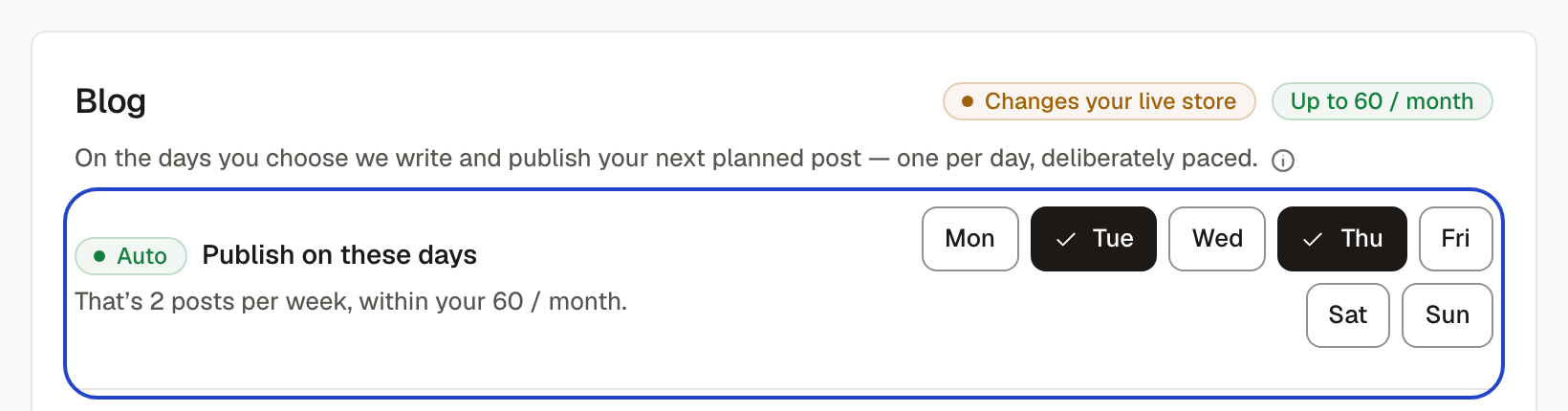
When it posts
Choose the weekdays under Settings → Blog. The days are the whole schedule: three days means three posts a week. Posting happens in the morning, UTC. If you save with no days picked, it uses Tuesday.
If a scheduled day is missed because of an outage on our side, the next run catches up with one post. A day the schedule was off, or wasn't one of your days at the time, is never caught up, so switching the schedule on never triggers a burst of posts.
What it writes next
- First, the next post in your content calendar that has a search phrase, soonest-due first. A calendar entry with a date waits for that date.
- Otherwise, the best waiting topic suggestion: topics people search for more, that fit your brand, go first. It also alternates between beginner-level posts and “best X / X vs Y” comparison posts.
- Nothing waiting? It skips that day and starts a search for new topics from your catalog, at most once a week.
How many posts your plan includes
- Growth: up to 20 posts a month. Scale: up to 60.
- Starter doesn't include scheduled blog posts.
- During a free trial: 3 posts, counted from the day the trial started.
When the month's posts are used up, the schedule skips until the allowance resets, and nothing is charged for a skipped day.
Why a post was held as a draft
Before publishing, every post is checked. Sauron gets one automatic rewrite to fix what it can; if the post still fails, it's created on your blog but hidden, and it shows up under Blog Posts as “saved as a draft on your blog, not published”. The check holds a post back when:
- It's too short for the kind of post it is (at least 800 words; longer for list and comparison posts).
- It doesn't use its search phrase in the body or the title, or repeats the phrase so often it reads as stuffed.
- Its title or Google description is too long.
- It uses a word you've asked Sauron to avoid in your brand voice.
- It claims first-hand experience nobody had, like “we tested” or “our team spent 3 months”.
- It has leftover formatting symbols (stray asterisks, # headings, table pipes).
- It came back cut off before it finished.
What to do with a held draft
On Blog Posts, press Review & publish. The post opens in the editor with the quality notes beside it. Fix what it flags, or publish it as it is: the check is advice, not a lock. “Publish post” makes it visible on your store; “Save for later” keeps it hidden.
Which blog and author
Posts go to the blog chosen under Settings → Blog → Publish posts to (by default, the first blog Shopify lists). If your store has no blog yet, the post can't publish; add one in Shopify and the next scheduled run goes out. The byline is your default author from Settings → Blog → Blog authors.