What does Autopilot do on my plan?
Autopilot is one switch over five jobs Sauron can do without asking you. Which of them actually run on their own depends on your plan. Anything that fails a quality check still waits for you, and switching it off puts every job back to “waits for your OK”.
Settings → Autopilot (the first section), with one row per job and a Turn on / Turn off Autopilot button. The Autopilot badge in the sidebar shows On, Partly on or Off and links there.
Open this in the app (opens your Shopify admin in a new tab)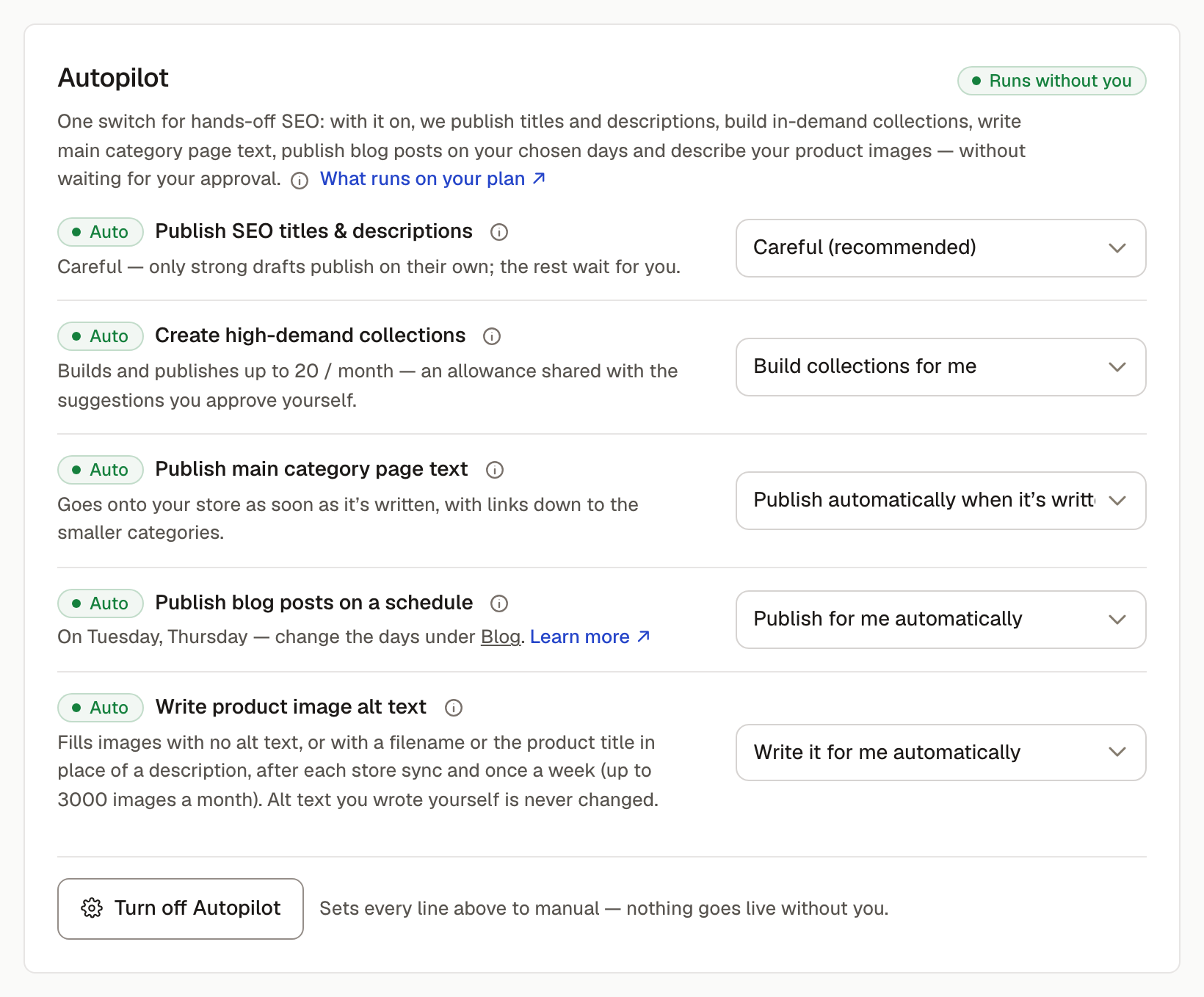
The five jobs
- Publish SEO titles & descriptions: the text Google shows for your products and collections.
- Create high-demand collections: new collection pages for groups of your products that people search for.
- Publish main category page text: a short intro on broad pages like “Knitwear” that links to the smaller collections inside them.
- Publish blog posts on a schedule: one post on each day you choose.
- Write product image alt text: descriptions for product photos that have none, or only a filename.
What runs by itself on each plan
- Starter: titles & descriptions (up to 50 pages a month) and category page text. New collections wait for your OK (3 a month); photo descriptions run when you press the button on Products (100 a month).
- Growth: all five. Up to 500 pages of titles & descriptions, 8 new collections, 20 blog posts and 1,000 photo descriptions a month.
- Scale: all five. Every product and collection, 20 new collections, 60 blog posts and 3,000 photo descriptions a month.
Blog posts aren't on Starter. If a job is switched on but your plan can't run it without asking, Settings shows it as needing Growth, and the work waits for your OK until then.
How careful it is with titles & descriptions
The “Publish SEO titles & descriptions” row sets how good a draft has to be before it goes live on its own: Relaxed, Balanced, Careful (the default when you switch Autopilot on) or Strict. Even above that bar, a draft waits for you if it breaks one of these rules:
- It's too long to publish automatically (see the related article on title length).
- It uses a word you've asked Sauron to avoid in your brand voice.
- It opens with a hollow word like “Exclusive”, “Premium” or “Luxury”, unless that word is part of what people search for.
- It repeats a word in the title.
- It invents a framing your store doesn't have, like “members only” or “private collection”.
- It's not in English. Copy in other languages always waits for you to read it.
It also never writes over a page you've edited yourself in Shopify.
What it never touches
Your prices, stock, product names, product descriptions, the photos themselves, your theme or your menus. New collections only ever get products added; Autopilot never takes products out of collections you made. (Adding new collections to your main menu is a separate setting under Collections & navigation, and it only ever adds links.)
Switching it off, and undoing
Turn off Autopilot sets every job to manual: Sauron keeps writing drafts, and nothing goes on your store until you approve it. Every earlier title and description is kept, so any page can be put back.